
Try it (no account)
Demos: simulator + live feed
Cause a freeze event in the interactive probe simulator, or watch real demo probes next to outdoor weather: same ingest path your ESP or Arduino will use for freeze and flood alerts.
Three ways to try ProbeHarbor
Start with the simulator if you want to feel freeze risk respond to you, then confirm with the live feed and auto-wet flood path.
- Interactive probe simulator : Hands-on (best first stop). Tweak door open/closed, sun load, outdoor air, and freeze threshold. Cause a cold snap; watch multi-zone bars and push/pull JSON update.
- Live demo feed : Observational. Real demo probes refresh here on the production ingest path. Best when you want “is this fake?” answered with live numbers.
- Kit QR onboarding : Hardware path. After you create a push device, scan the ingest QR (or print it on a kit label) so firmware can POST temperature, flood, and other sensor kinds without typing the key.
Cause the change: interactive simulator
Presets for cold snap, door draft, and sun load reuse the same Overview space-status helper as production. Open the bay door and watch the door zone diverge from the workbench: that’s why multi-probe placement matters.
Live demo feed
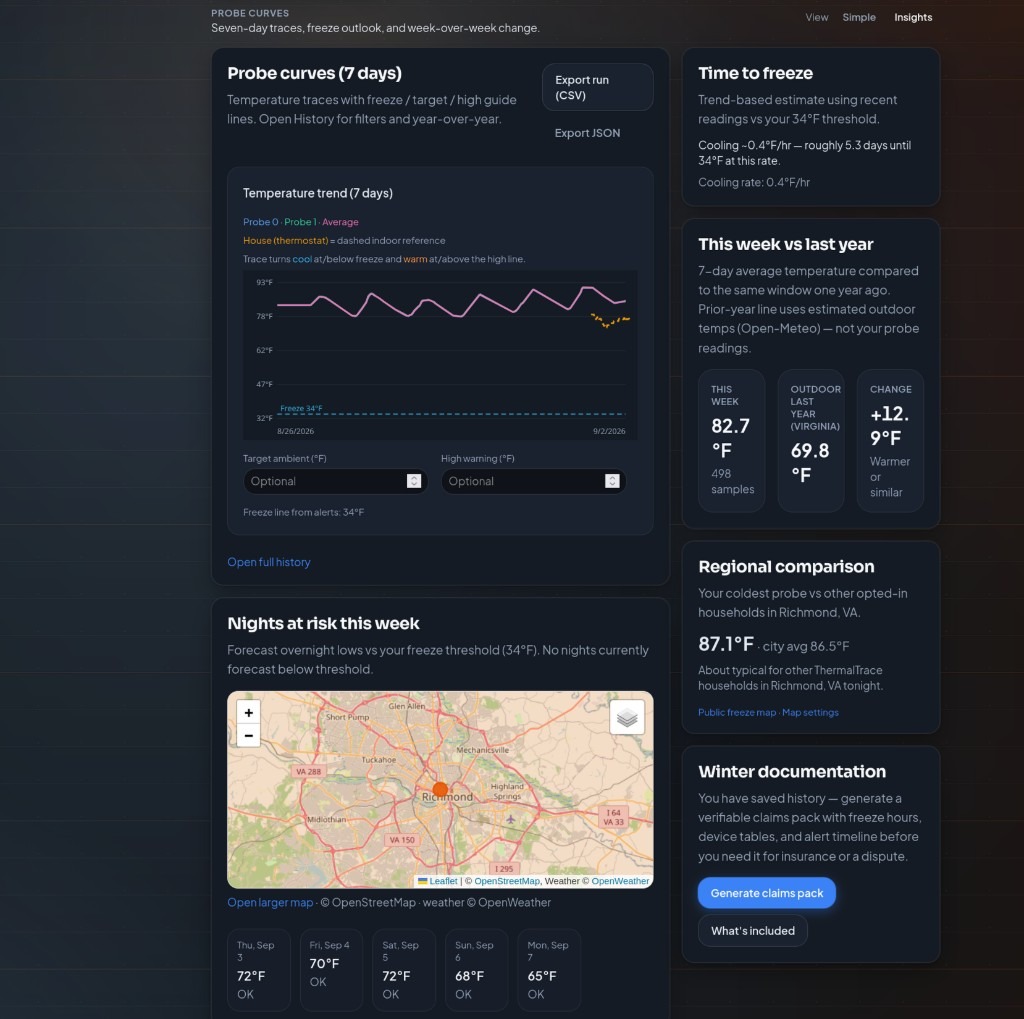
Real demo probe readings and outdoor weather, not a mockup. Prefer to manipulate variables yourself? Open the interactive simulator.
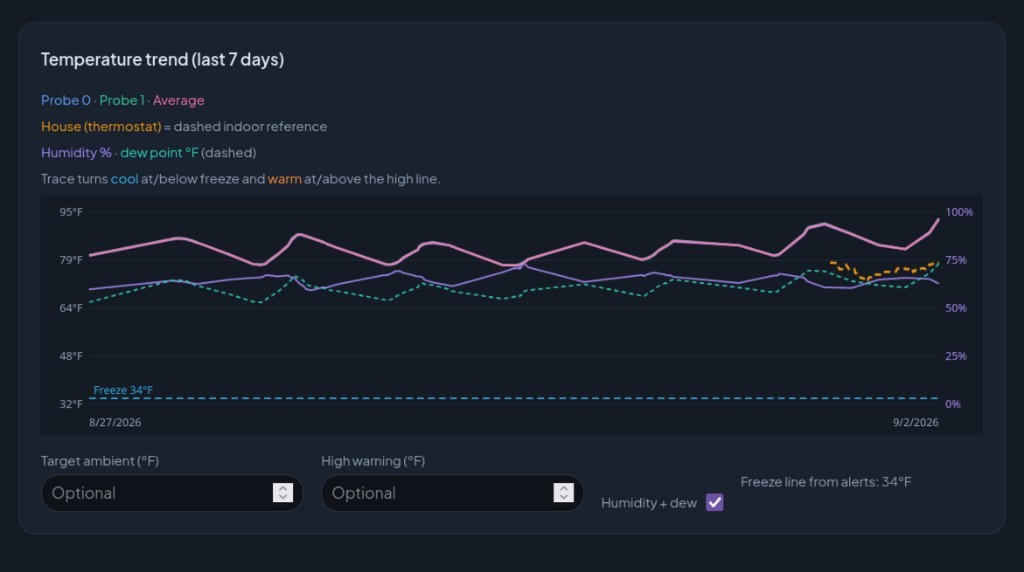
Loading the last 7 days…
Probe curves are the demo shop model run over the past week's real hourly weather; the dashed line is outdoor temperature.
Same data that fires freeze and flood alerts
When a probe crosses your threshold, ProbeHarbor can reach you on email, browser push, Discord, Telegram, Slack, and on Pro, SMS. Wet flood/leak contacts auto-alert on the same stack. Set the line once; test it before the next cold night.
- Email · Discord · Telegram · Slack
- Push on every plan
- SMS · webhooks on Pro
- Leak / flood sensors alert automatically when wet
Your kit next
Free account, no credit card, from blank dashboard to a live curve in one sitting. Physical kits can use kit QR onboarding so the ingest URL is a scan away.
-
Create a push device
Sign up and pick a path on Devices: Home Assistant, ESPHome, or MQTT get a copy-paste snippet; a board gets a pre-filled sketch; no hardware gets a one-click demo feed.
-
POST JSON
POST to
/api/ingest/<key>. Sensors auto-import on first POST: rename on Devices afterward. -
Watch Home & set alerts
Confirm live values, set a freeze threshold, and know that wet flood/leak contacts auto-alert on the same account.
Works with
- ESP32
- Arduino
- HTTPS JSON push
- HTTPS JSON pull
- MQTT bridge
- Home Assistant (HACS)
- Discord · Telegram · Slack
Keep MQTT on your LAN; mirror to ProbeHarbor over HTTPS for household freeze/flood alerts and history. MQTT bridge recipe
Keep exploring
Already triggered a simulated cold snap? Confirm with the live feed, then try a flood/leak story, map a city, or set up kit QR.
- Interactive probe simulator Primary hands-on demo: door, sun, outdoor, freeze threshold
- Community freeze map Opt-in city aggregates, no account required
- Kit QR onboarding Create device → scan ingest QR → first POST
- Freeze scenario What a 2 a.m. heater failure looks like, alert by alert
Frequently asked questions
Demo-specific answers, for plans and product basics see Pricing or the homepage FAQ.
How is this different from the homepage demo?
The homepage points you at the interactive probe simulator first, with a short live-readings teaser. This page keeps both: a prominent simulator promo plus the full live feed (probes + outdoor weather), freeze-alert context, kit steps, and QR onboarding.
Live feed vs interactive simulator, which should I try?
Start with the interactive probe simulator (/about/probe-demo) when you want to cause a cold snap or door draft and watch multi-zone risk respond. Use the live feed on this page to see real demo probes on the same ingest path your ESP/Arduino will use: observational proof, not a sandbox.
What is kit QR onboarding?
After you create a push device, ProbeHarbor shows a QR code for the full ingest URL (about 30 minutes). Scan it from a phone or print it on a kit label so firmware or Home Assistant can POST without typing the key. Walkthrough: probeharbor.dev/about/kit-qr-onboarding.
Is the live demo fake data?
No. Readings come from the public ProbeHarbor demo feed over the same HTTPS ingest/pull path production devices use. The interactive simulator is intentionally synthetic so you can manipulate outdoor air, sun, and door state: it reuses the real Overview space-status helper for freeze risk.
Do I need an account to try this?
No for this page or the probe simulator. You need a free account (no credit card) to create your own device key, keep history, and set freeze alerts. Plan details: probeharbor.dev/pricing.